Fundamentals
How to remove a member from my Organization?
Updated on 19 Feb 2026
No image available
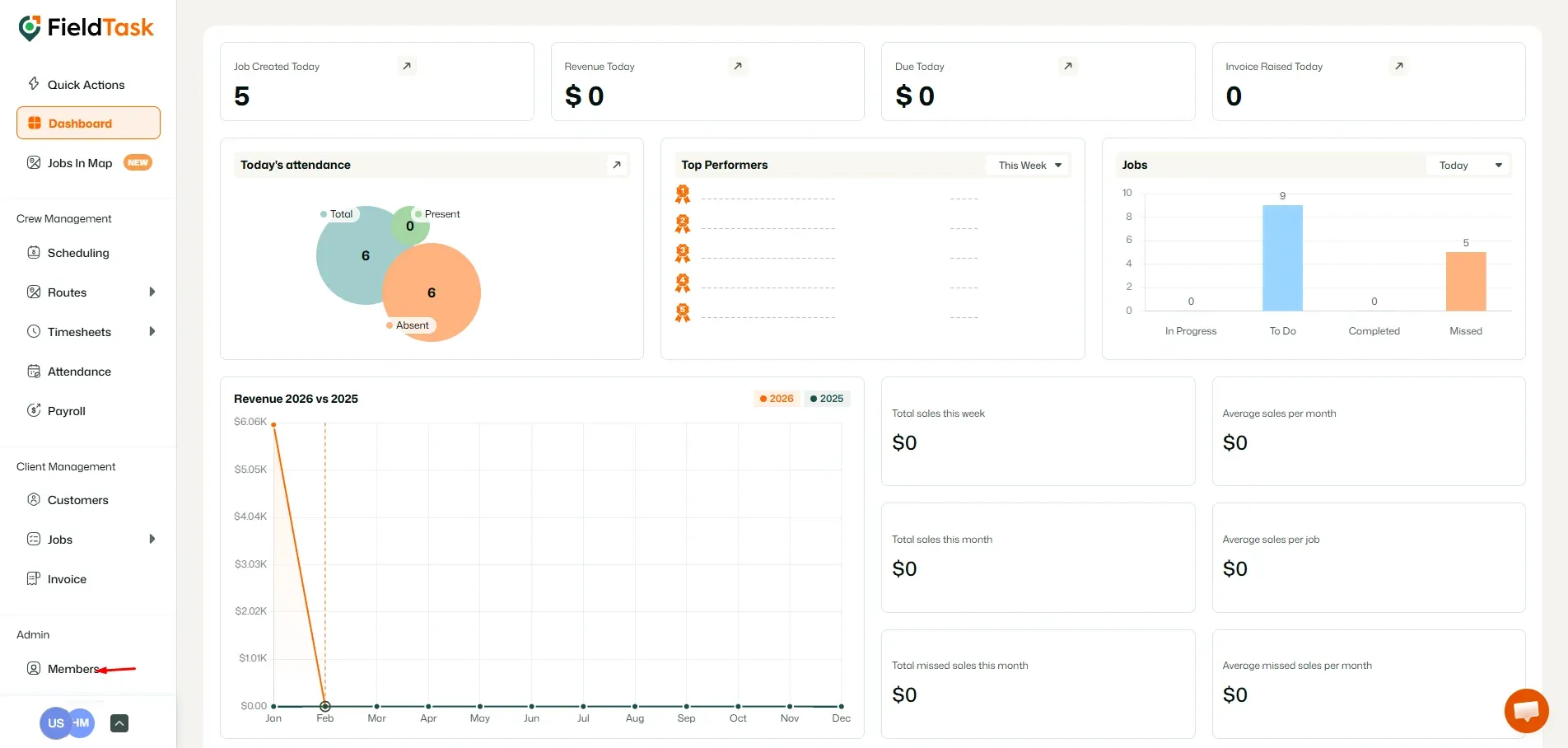
To remove a member from your organization, go to Members from the left sidebar.
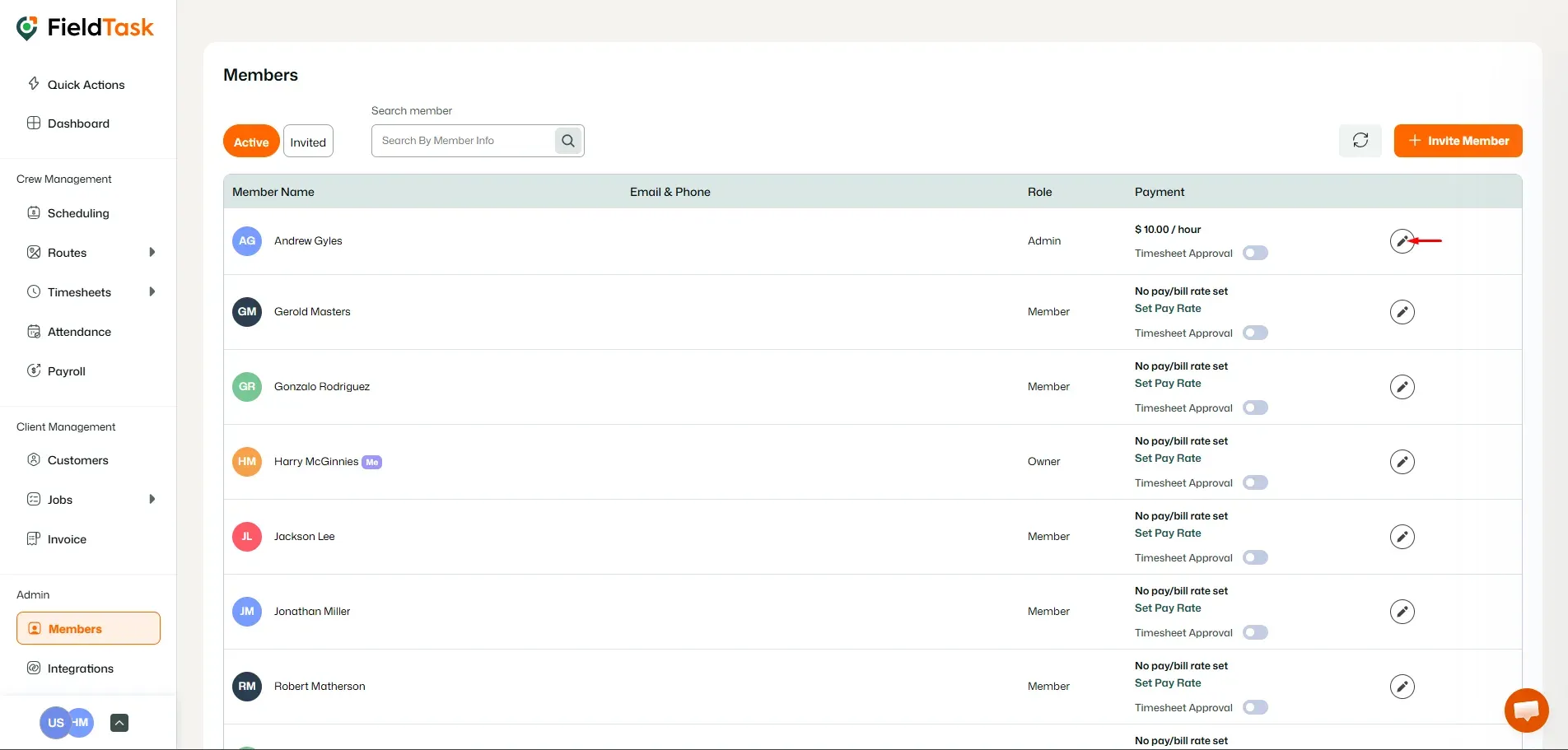
Choose the member you want to remove and click on the edit option.
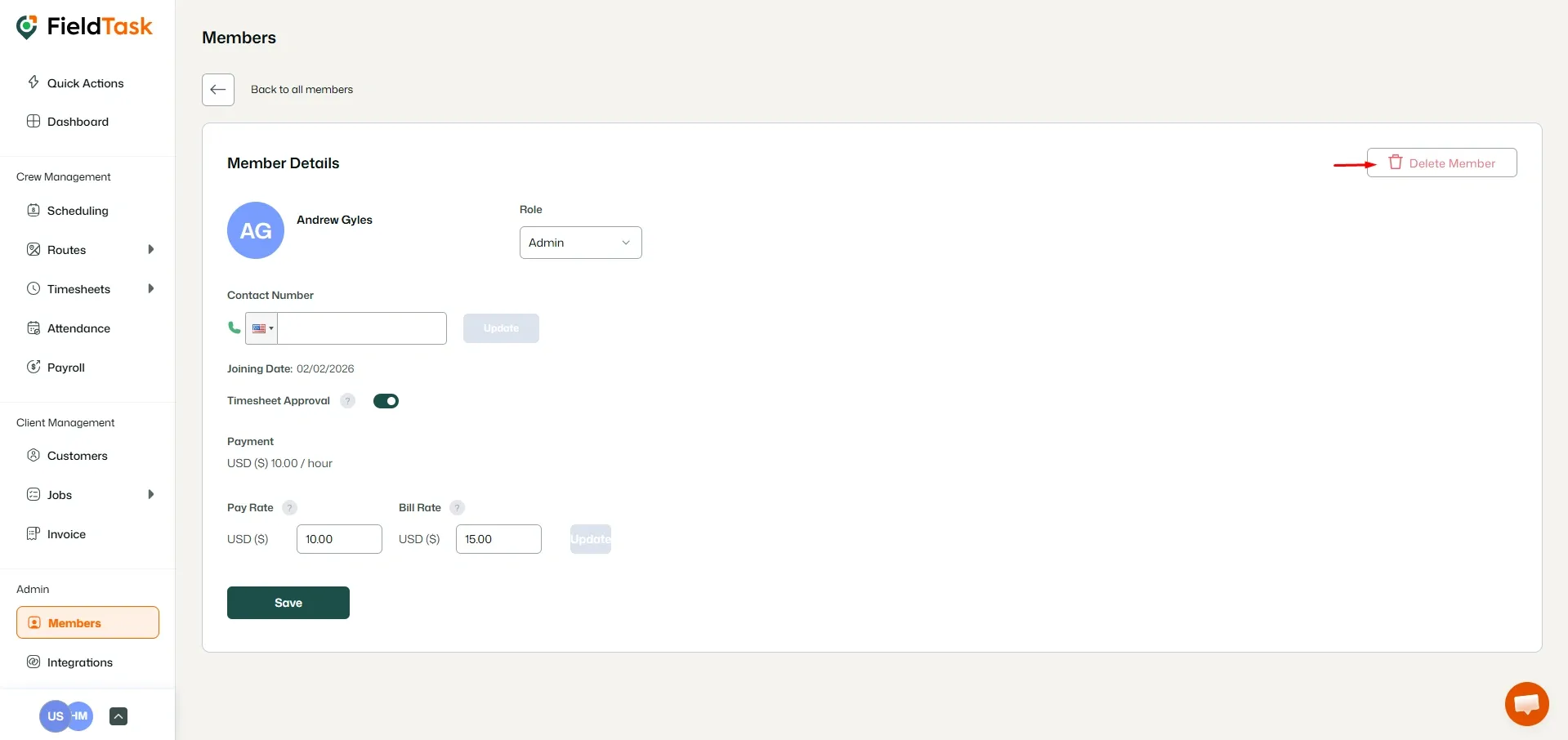
Click on Delete Member button on the top right.
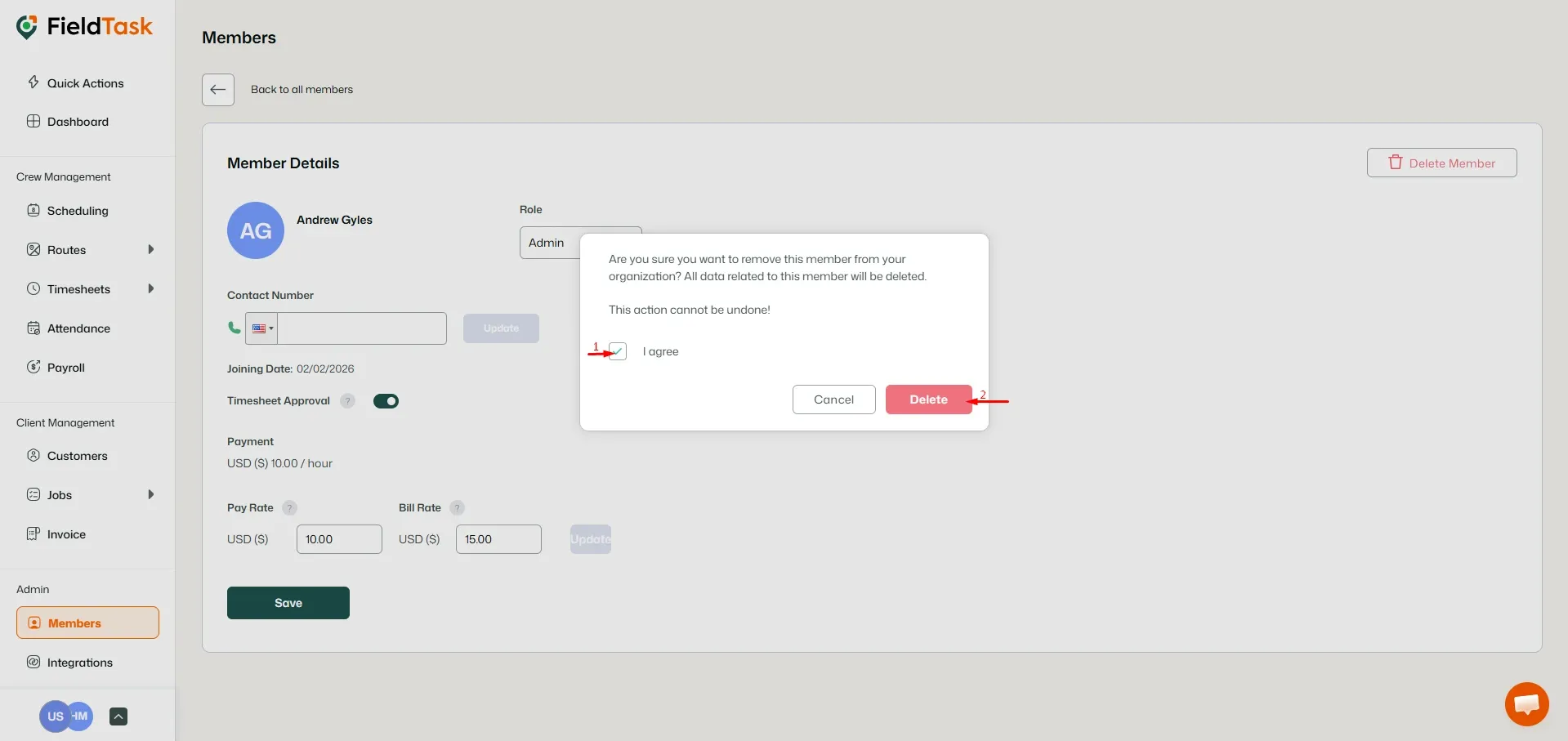
A prompt will pop up. Check the box and click Delete.
What to read next
No articles found at the moment.