Fundamentals
How can I remove an email from my FieldTask account?
Updated on 19 Feb 2026
No image available
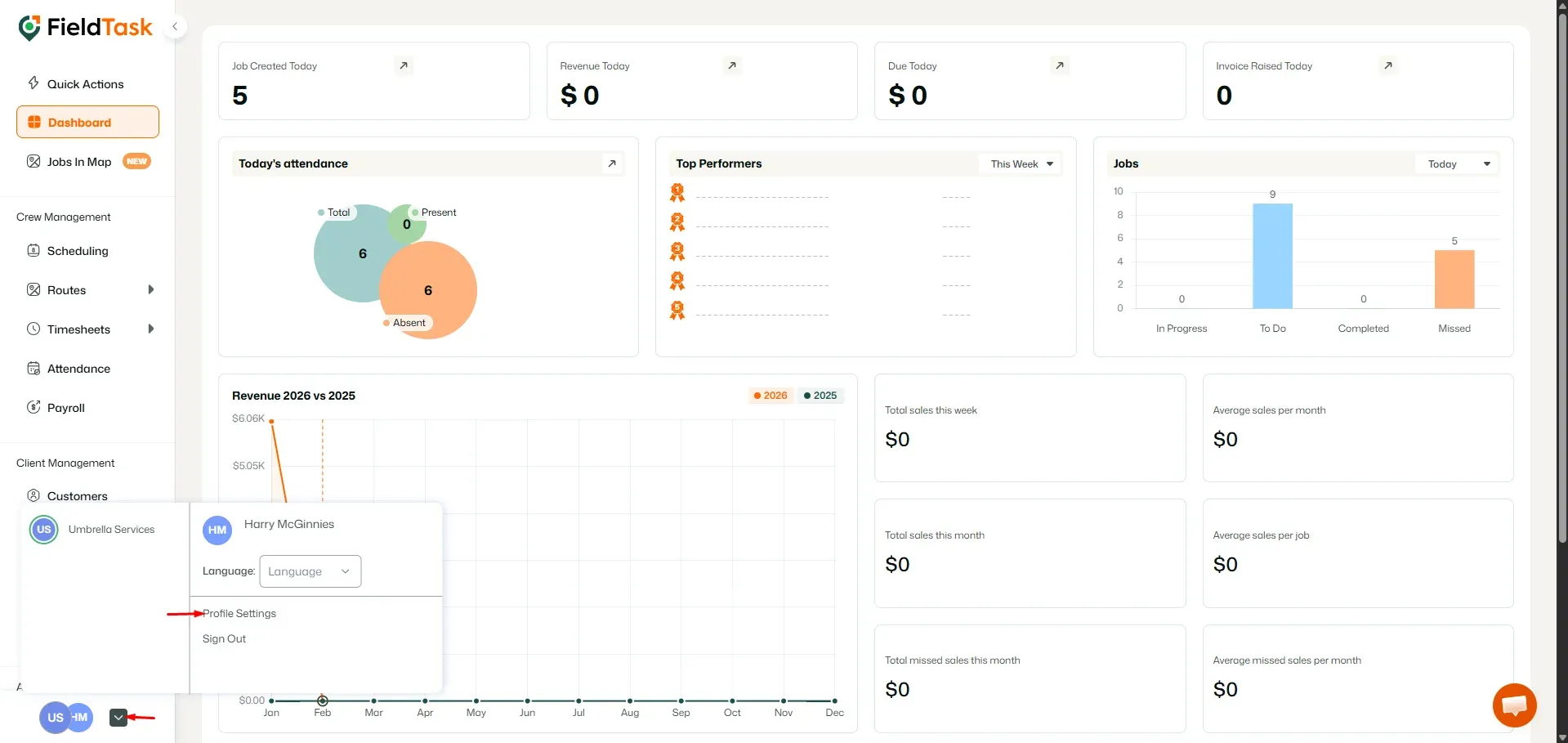
To remove an email from your account, go to Profile settings from the bottom left drop-down menu.
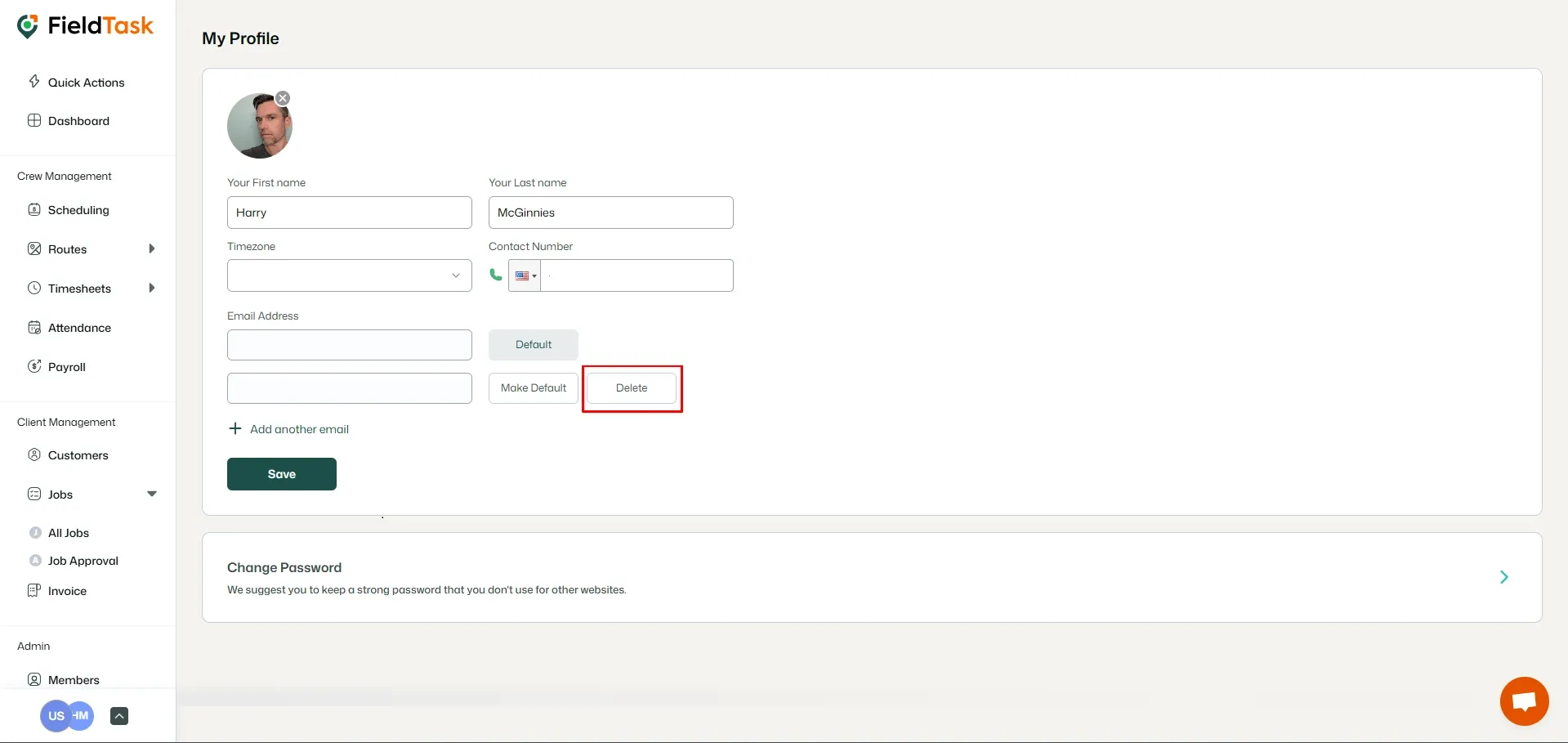
Click on the Delete button on the right of the email you want to delete.
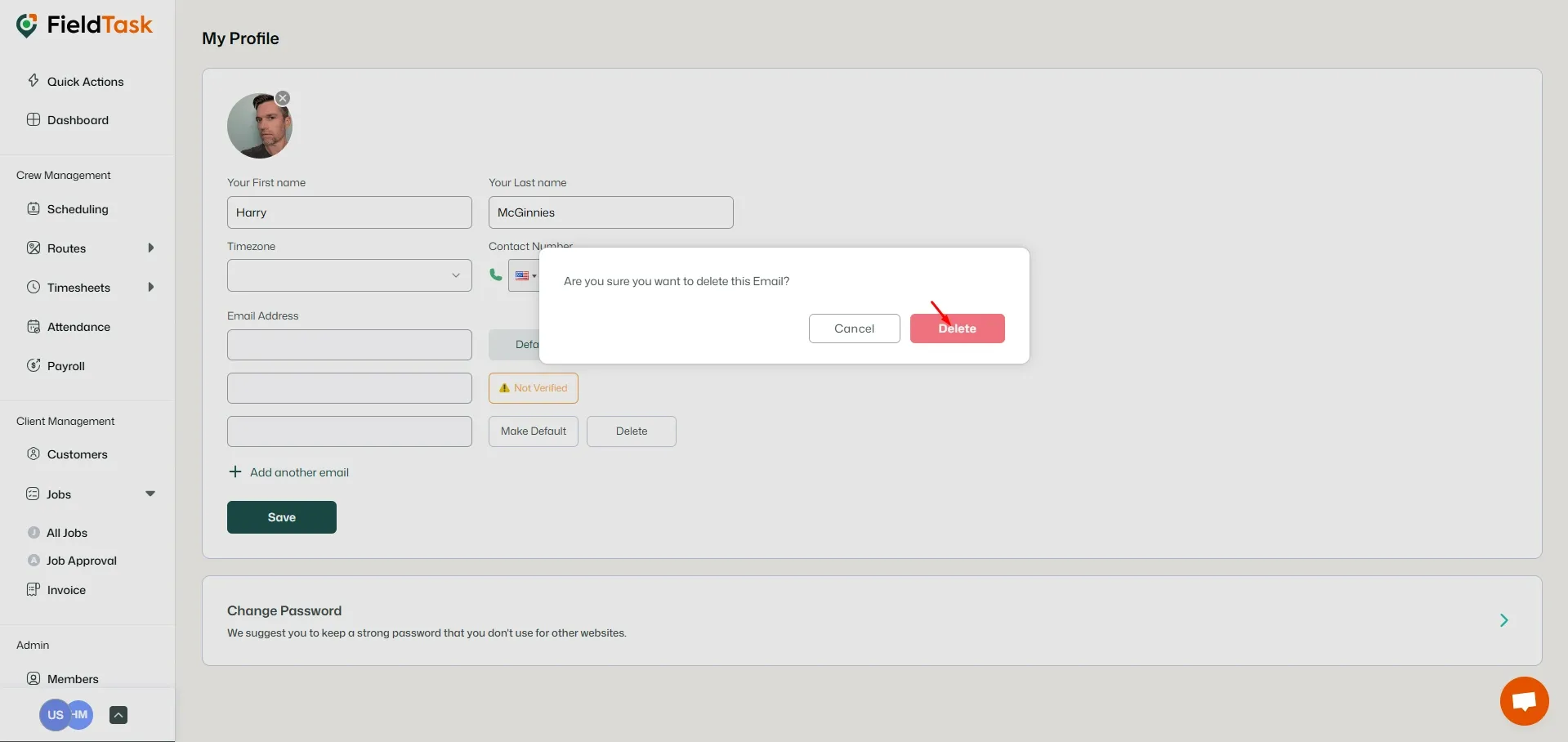
Click on the Delete button on the confirmation pop-up to delete your email.
What to read next
No articles found at the moment.