Fundamentals
How to Mark Hourly Rates as Paid on FieldTask?
Updated on 18 Feb 2026
No image available
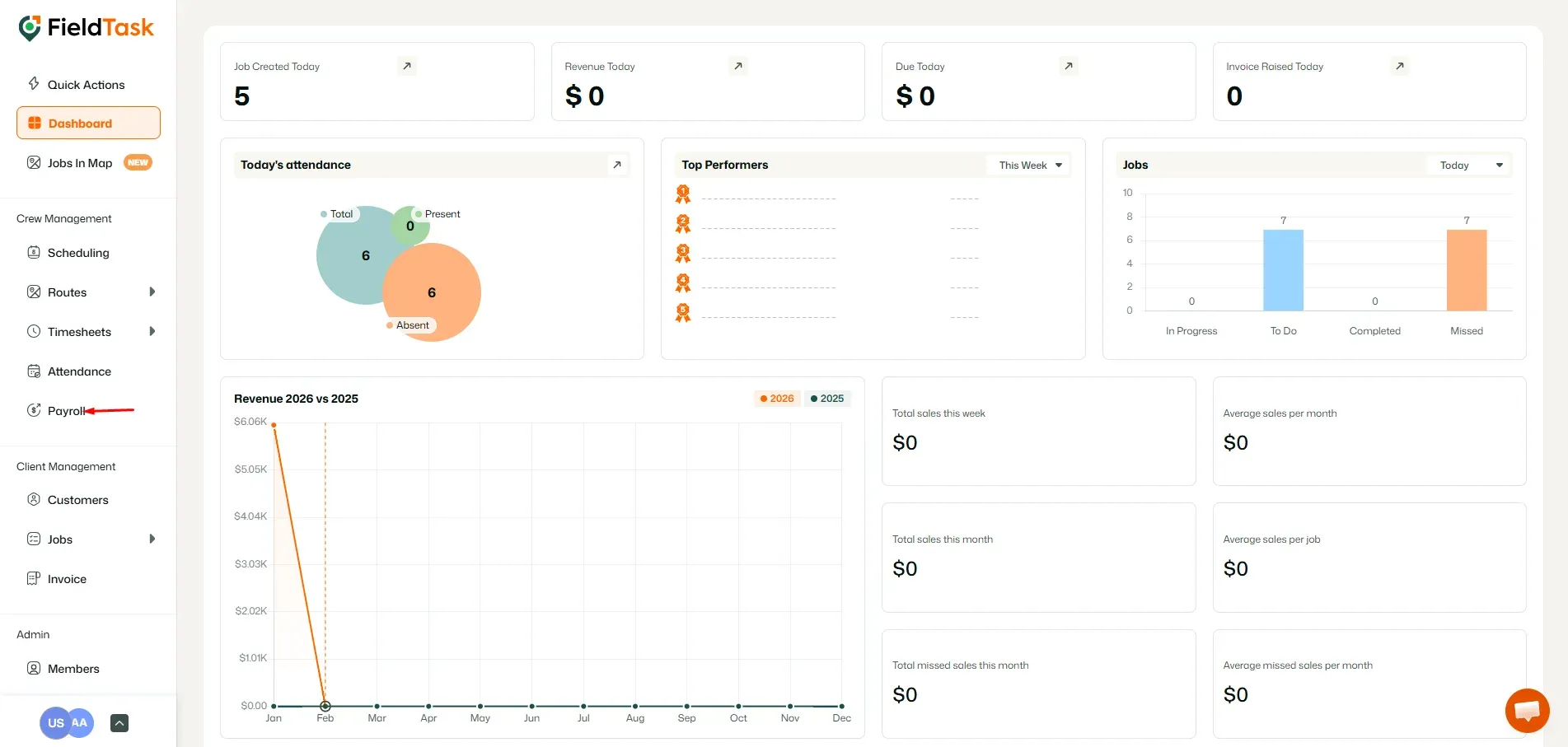
To mark hourly rates as paid, go to Payroll from the left sidebar.
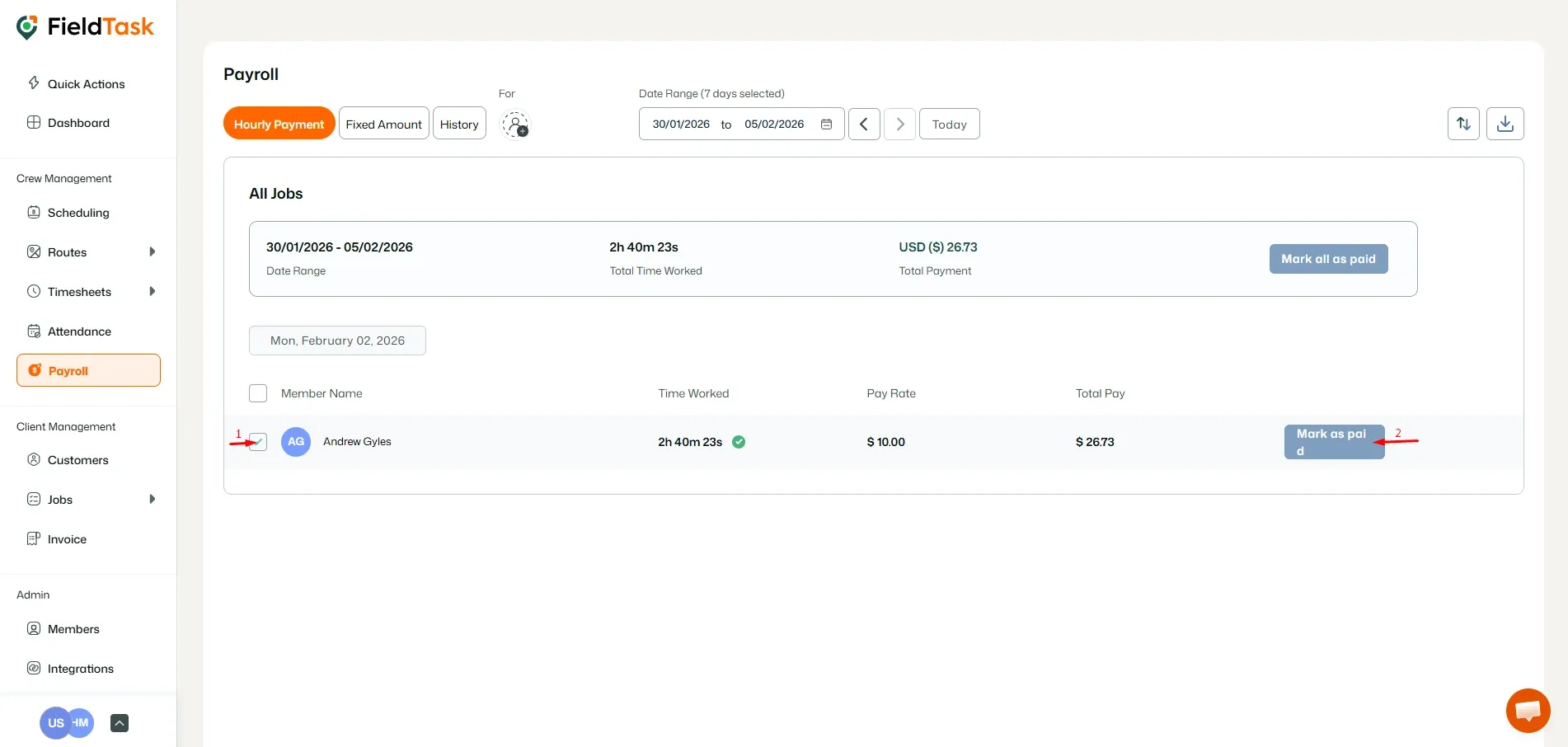
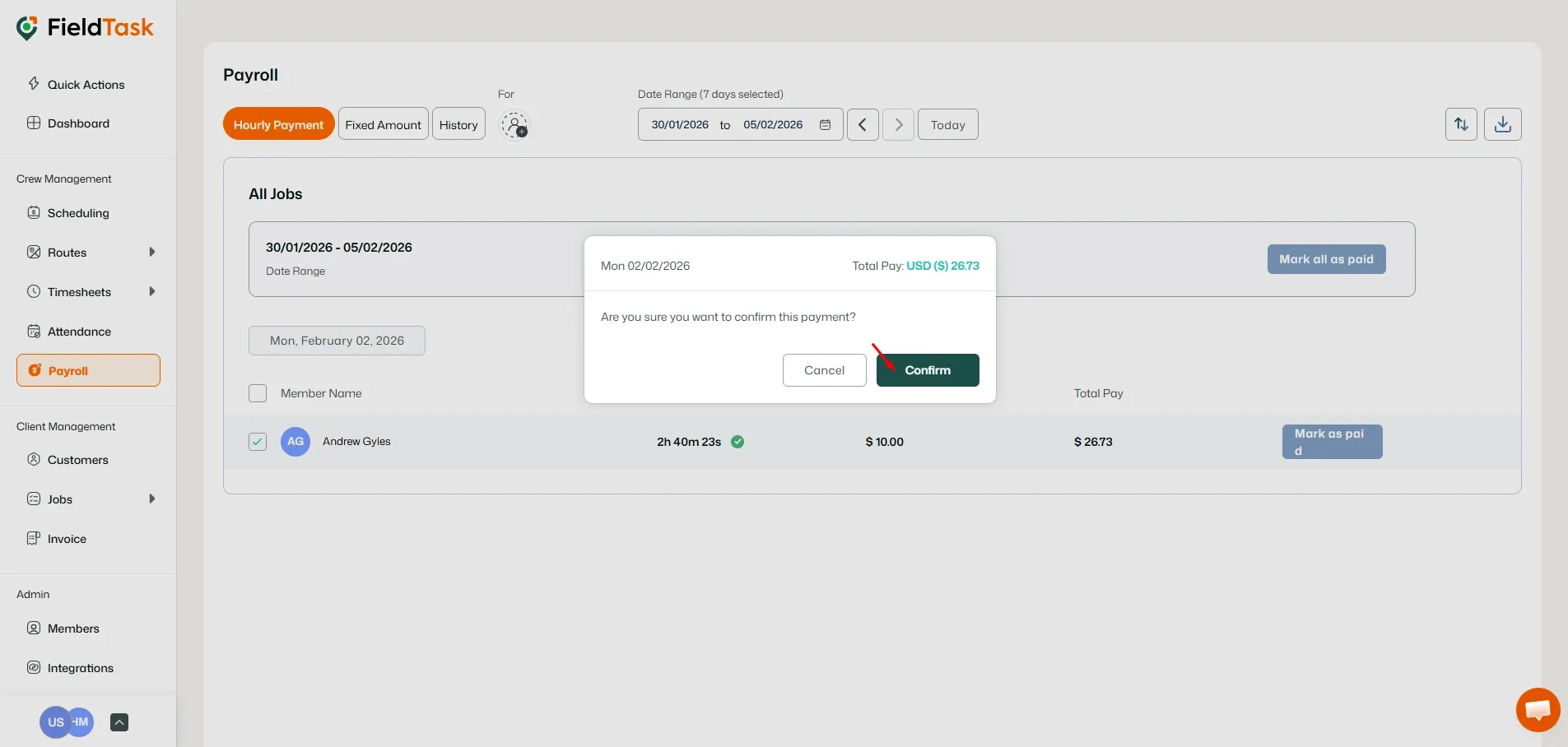
Click on the check box beside the employee of your choice, click on Mark As Paid, and then on Confirm.
What to read next
No articles found at the moment.