Fundamentals
How to Edit Jobs on FieldTask?
Updated on 19 Feb 2026
No image available
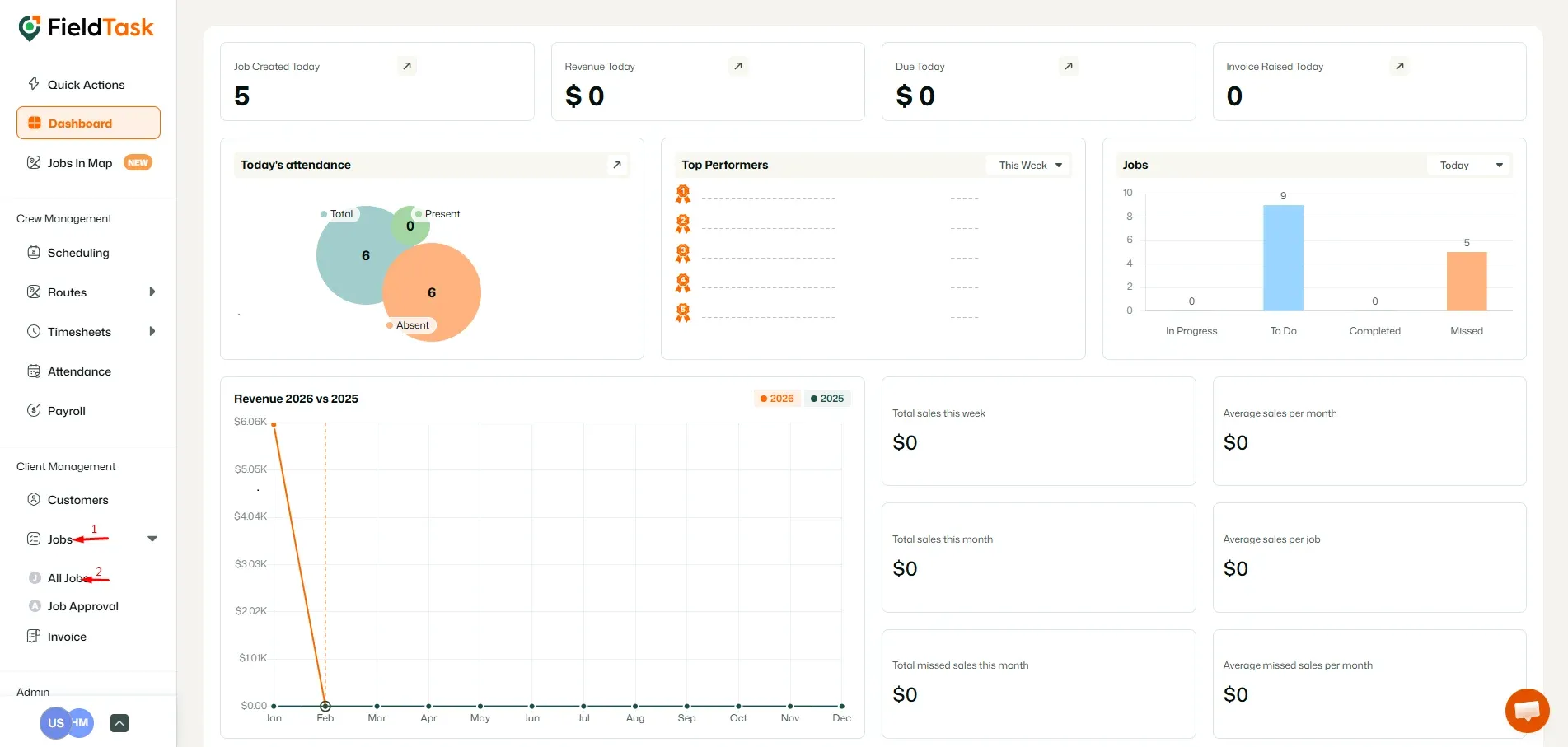
To edit a job, go to All Jobs under Jobs from the left sidebar.
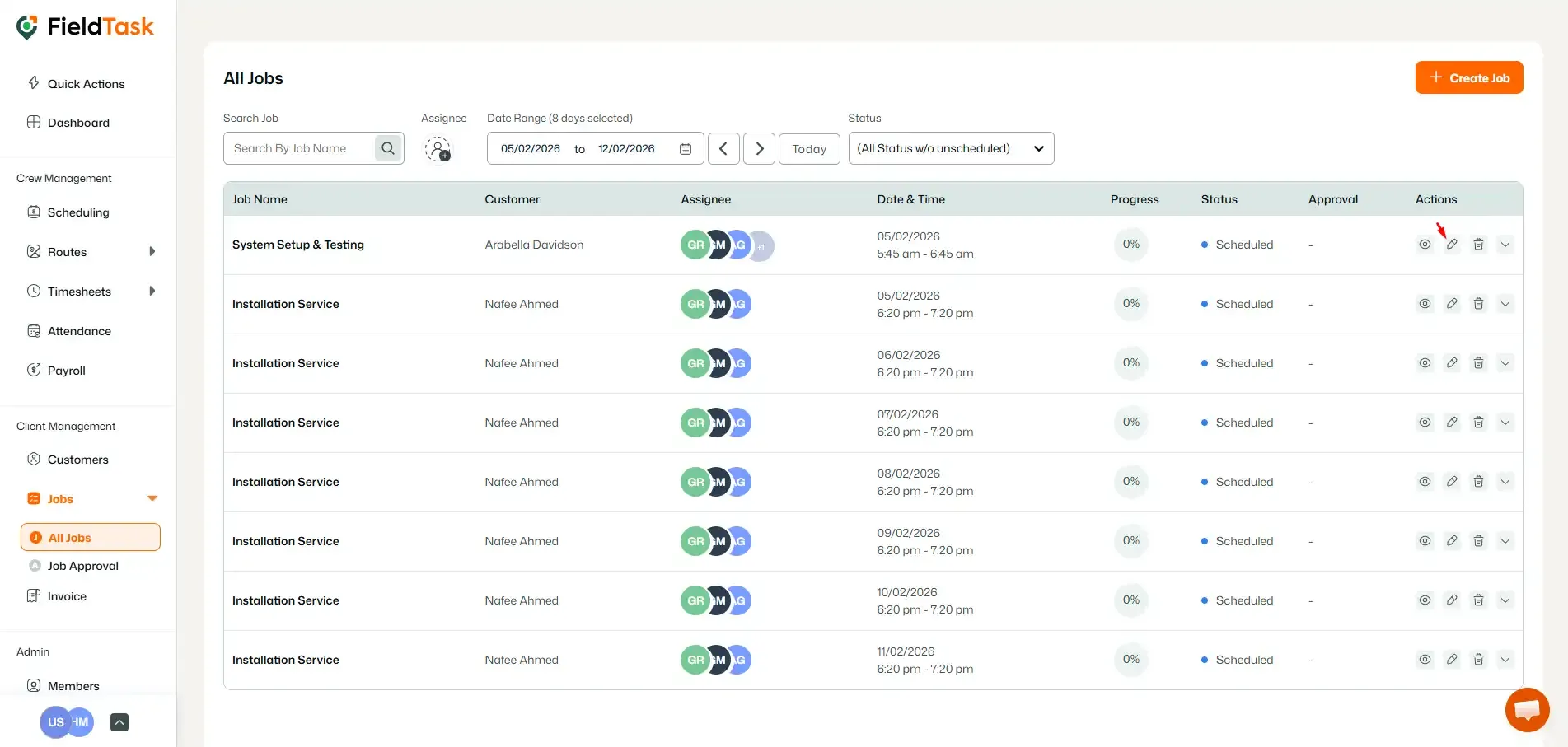
Choose the job you want to edit and click on the Edit button under the Actions column.
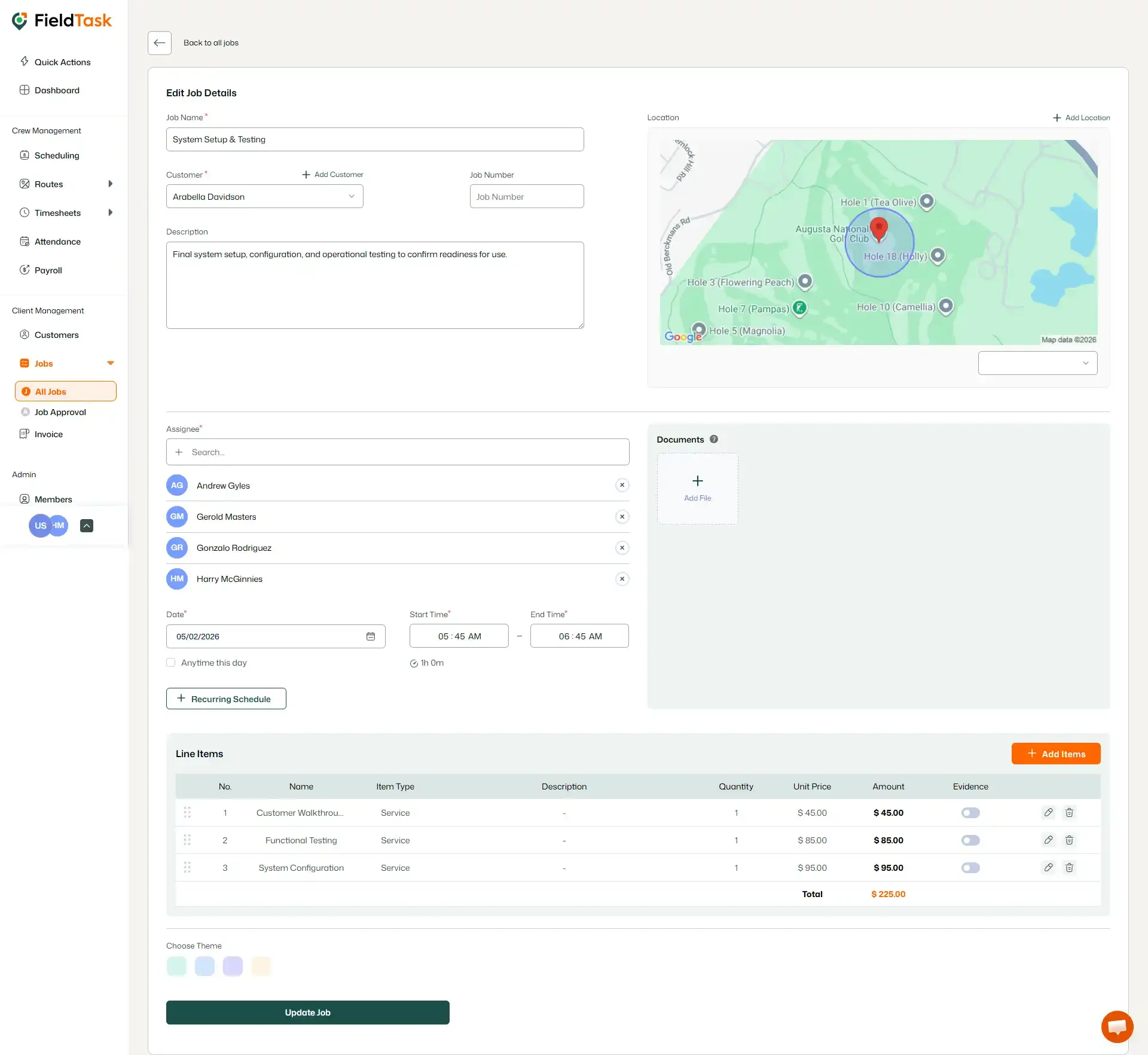
From here, you can edit:
- Job Name
- Customer
- Description
- Type of Edit
- Assignee List
- Date and Time
- Add More Line Items
- Add More Documents
Clicking on Update Jobs will save the changes.
What to read next
No articles found at the moment.