How to Add Line Items to a Job on FieldTask?
Updated on 19 Feb 2026
No image available
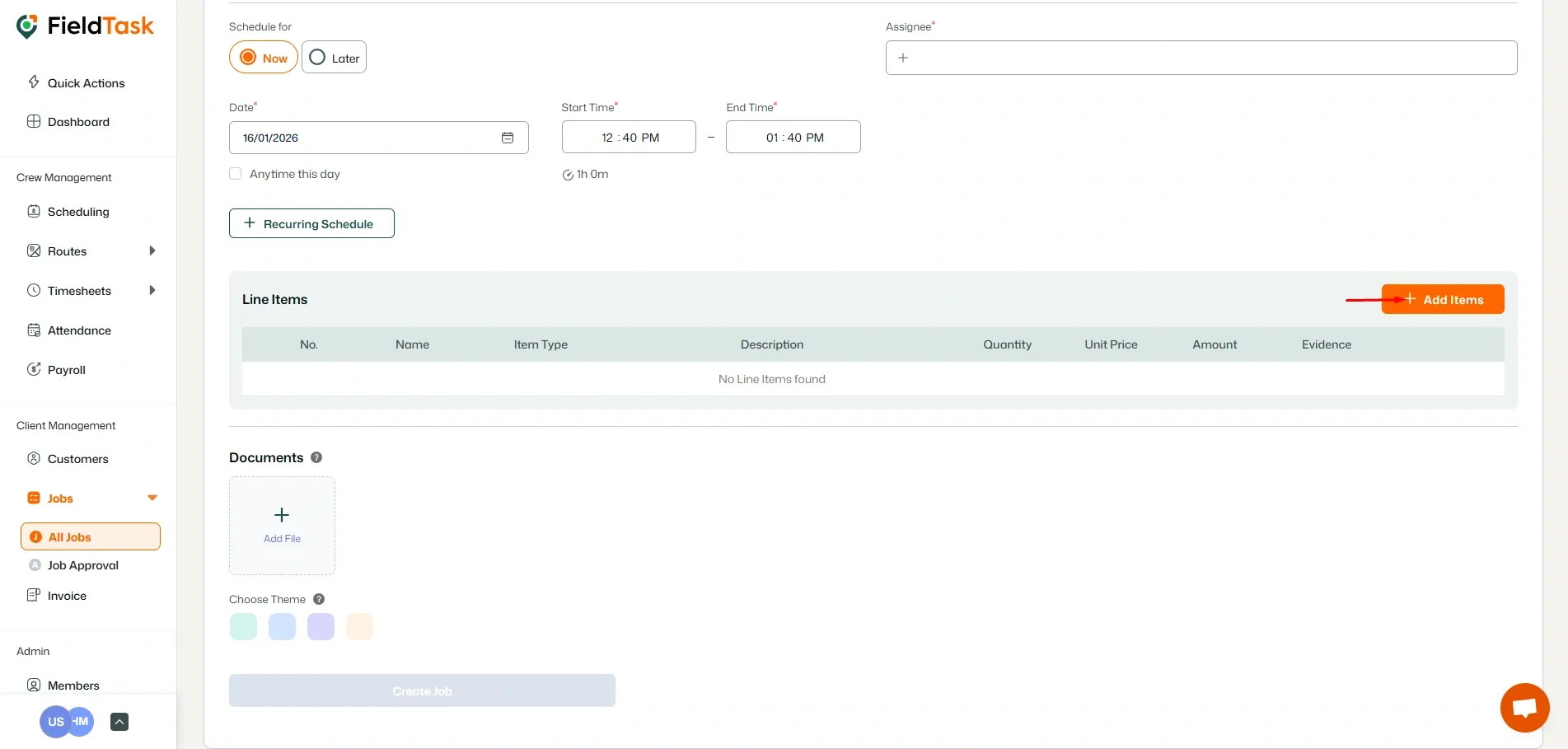
At the bottom of your job creation page, click the Add items button.
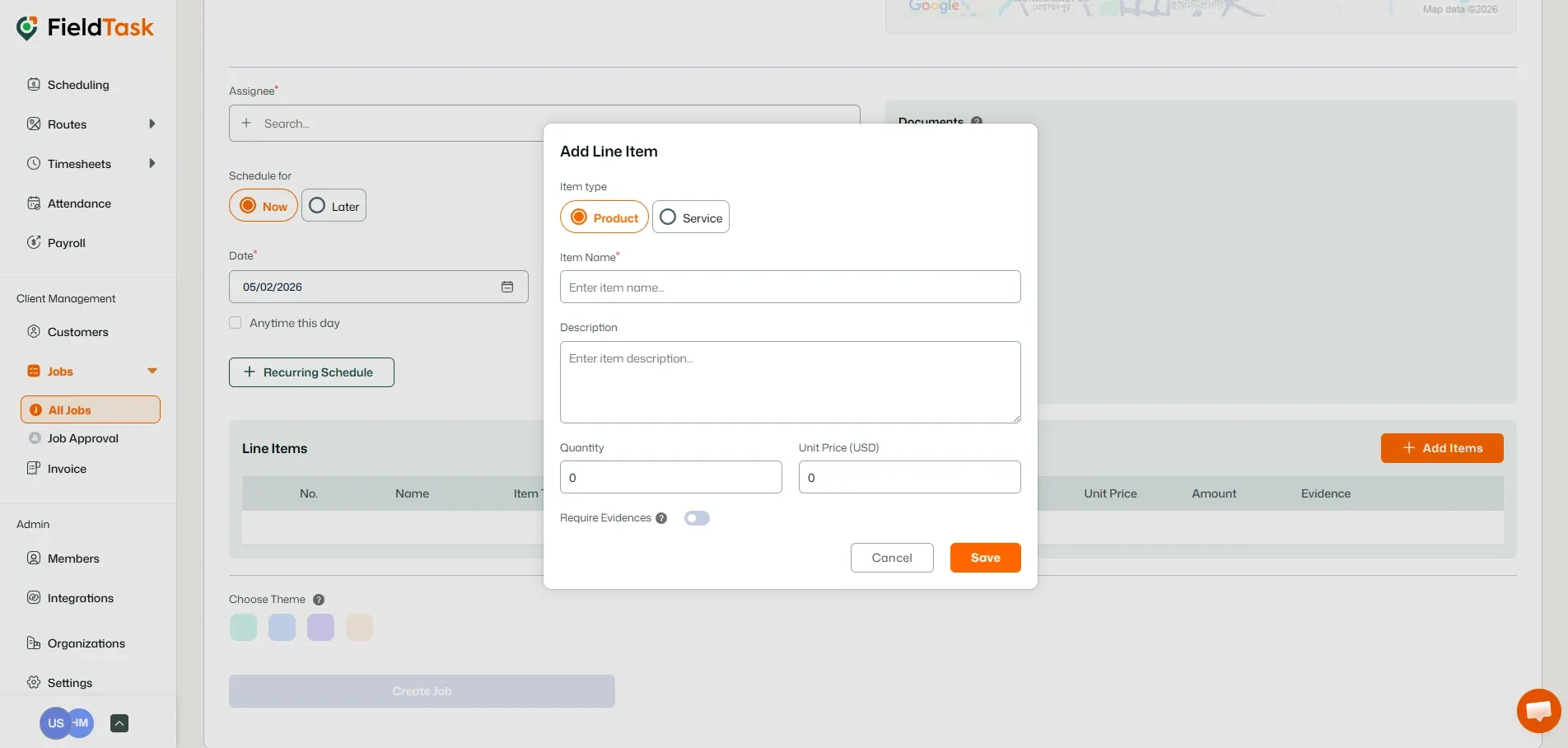
On the pop-up form:
- Choose whether it’s a Product or a Service
- Give the Item a Name
- Describe the Item
- Input Quantity
- Input Price
- Choose whether you need evidence for the Line Item
Click on Save to add the line item to the job.
What to read next
No articles found at the moment.